Editing Tools - Text to Speech

Hearing Your Prose
One of the most common pieces of editing advice I hear is to read your writing out loud. Hearing yourself speak the words on the page can help you understand where your prose falls on the Oh Wow This is Cringey to the Oh Damn This Sounds Good spectrum. Reading prose aloud is useful for description and exposition, but is especially helpful for dialogue. If you can’t say a piece of dialogue with a straight face, your characters shouldn’t be saying it either (unless that’s their shtick).
Identifying Echos
Reading out loud can also help with identifying echos. With respect to prose, an echo is a word, phrase, or sentence structure that is being used frequently enough to cause the reader to become distracted. A great writer can make the reader see what the character is seeing, taste what the character is tasting, and feel what the character is feeling. Connecting with the story on this level isn’t possible if the reader is thinking about the words on the page. Echos break immersion--and immersion is everything!
Text to Speech Tools
A piece of advice I hear a lot less often (not claiming to have pioneered this, but I think I may have come to this solution myself) is to use a text to speech tool to review your writing. Some people (wizards) can write clean first drafts. I tend to do a lot of editing. Once I’ve reached a point where I think a piece is passable, I read it out loud. Once it has passed this test (we may be looking at 5+ full reads), the last thing I do is run the piece through a text to speech editor. The robotic voice removes any of the cadences I have fallen into after reading it so many times, leaving the bare words exposed. Text to speech also helps with catching missing and repeated words. While editing, I often read right past missed or duplicated words, because I know what I wanted the sentence to say, so I automatically make the correction (stupid smart brain). As the text to speech editor reads my writing, I follow along in the text, and when the robot says something that sounds off, I pounce on it.
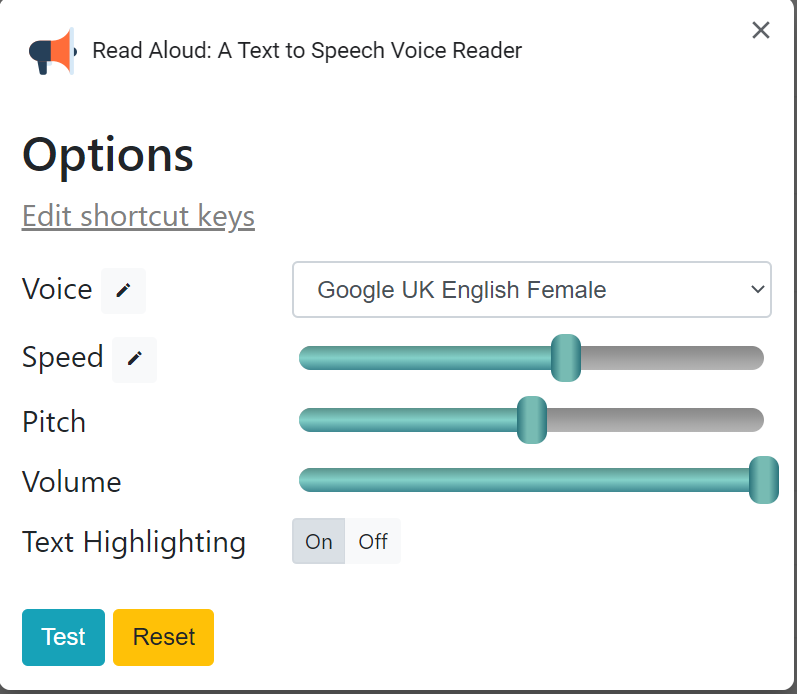
Read Aloud: A Text to Speech Voice Reader
For the last few years, I’ve been using the Read Aloud Chrome extension (I almost exclusively use Google Docs on active writing projects--which I’ll be discussing in a later post). If you also use Chrome for writing, I highly recommend it. You can download the extension from the Chrome Web Store (it is free). Just follow this link and search for Read Aloud:
https://chrome.google.com/webstore/category/extensions